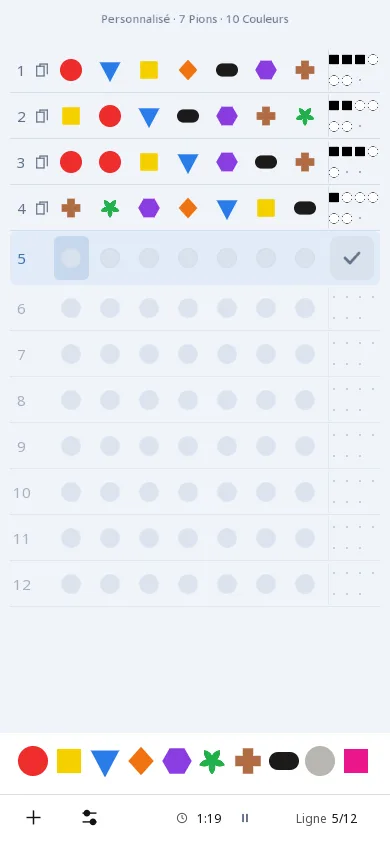
Modes and levels
In brief
The app's New game menu offers 2 tabs: Classic and Last Chance. In each, you choose a level, from Easy to Extreme, the Random Challenge, or a Custom game whose format you set yourself. The higher the level, the longer the code and the more possible codes there are.
The levels
| Level | Pegs | Colors | Rows | At most one color | Possible codes |
|---|---|---|---|---|---|
| Easy | 4 | 6 | 10 | once | 360 |
| Intermediate | 5 | 8 | 10 | once | 6 720 |
| Hard | 6 | 9 | 20 | 2 times | 430 920 |
| Extreme | 7 | 10 | 30 | 3 times | 9 727 200 |
The "At most one color" column gives the maximum number of copies of the same color in the code. The number of possible codes follows from it: it is calculated from the app's engine, then recalculated by a second program. In the menu, each level is marked with one to four stars.
The Random Challenge
For each game, the app picks a format: 4 to 7 pegs, 6 to 8 colors and 8 to 30 rows. If there are more pegs than colors, the code necessarily repeats colors; otherwise, repeats are sometimes allowed, up to 3 copies of a color.
The Custom game
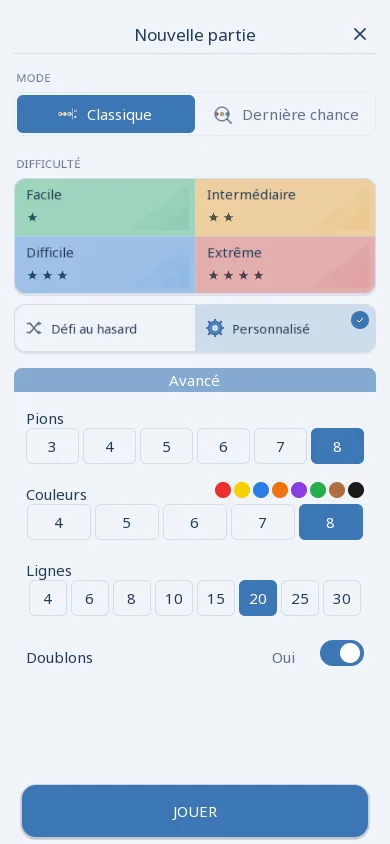
The Custom card opens the Advanced panel, where you set the game's format:
- pegs: 3, 4, 5, 6, 7 and 8;
- colors: 4, 5, 6, 7 and 8;
- rows: 4, 6, 8, 10, 15, 20, 25 and 30;
- Duplicates: on, a color can appear up to 2 times in the code; off, never.
When there are more pegs than colors, Duplicates is forced on: without repeats, the code could not be filled. Choosing a level copies its format into the panel, and the chosen format is kept for later games. On first launch, the panel offers 5 pegs, 8 colors and 10 rows, without Duplicates.
The smallest format has 24 possible codes (3 pegs, 4 colors); the densest, 8 pegs and 8 colors with Duplicates, has 8,401,680.
Classic
A game in the chosen format, with no time limit: find the code before the last row. The app tracks the game time.
Last Chance
All rows except the last are already played by the app, with randomly drawn guesses (never the code) and their real clues. Only one guess remains, on a full row: you have to deduce the code from what is already there. This mode is played with the same levels, the Random Challenge or a Custom game. See a worked example.
Display and accessibility
The app settings let you choose the light theme, the dark theme or the device's theme, the palette and style of the pegs, the color and shape of the clues (small pegs or numbers), and how guesses are displayed. The Accessibility switch replaces the pegs with flat discs showing a number, a letter or a shape, so you can play without telling colors apart; the clues become squares (correct position) and circles (wrong position).